
How do I stop a recurring payment on a future date?
To stop a donor's recurring payments on a future date, log into your GiftTool account and follow these instructions:
- Click Account in the left navigation.
- Click Recurring Payments.
- To narrow your search, use one or more of the following options:
- Select the status type (All, Last Attempt Declined, Expired Card, Before Start Date, After End Date, or Archived)
- Enter the full or partial name of the card holder used for the recurring donation.
- Enter a full or partial donor ID number.
- Limit the number of donors viewed per page,and click the arrow keys to move from page to page.
- Click the Recurring ID number, Card Name or
Change to modify the recurring payment:
- Click the date field to select a Last Payment Date in the future, to stop the automatic processing of the recurring donation on a specific date. For example, to include a donation on December 18th, you can set the Last Payment Date to be the last day of the month, December 31st. You can then archive this payment, once the Last Payment Date has passed.
- Click Save when finished.
Be careful not to click the Save & Process Payment Now button, unless you want to process a payment immediately.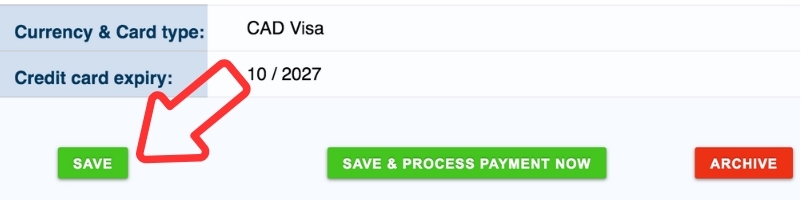
Note
- Recurring donors who have a transaction rejected for 4 consecutive months will be automatically changed to an Archived status. Their credit card may be denied for a variety of reasons - their number may have changed, the card may have been cancelled or stolen and then cancelled etc. Log into your payment gateway account to find out the reason why they have declined the credit card transaction.
- Once you have received the new credit card information, you can re-activate the recurring payment.
- Once the date has passed, you can archive the recurring payment to keep your active list up-to-date.
- For a monthly donation made in error, you can refund the cardholder.